


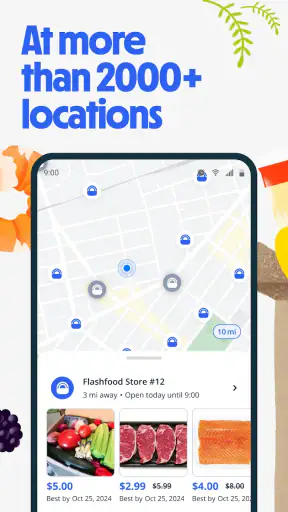
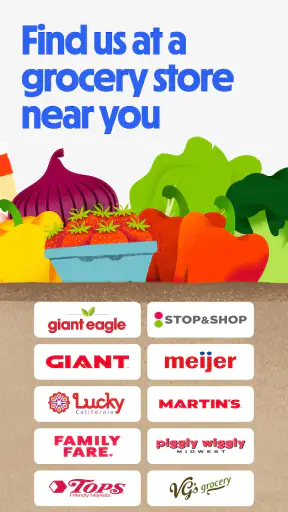
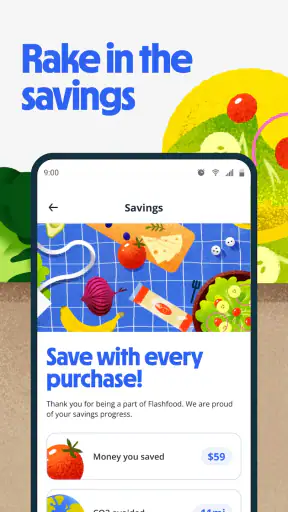
I like grocery apps that solve a practical problem rather than simply putting a supermarket catalogue on my phone. Flashfood—Grocery deals takes a more focused approach: it helps me look for marked-down food nearby, including meat, vegetables, fruit, and familiar family items. The appeal is immediate, but the real question is whether the experience feels quick and dependable when I am hungry, busy, or trying to plan a low-cost shop.
After using it as a Food & Drink app, I see it as a companion to ordinary grocery shopping, not a complete replacement for it. The best results come when I am flexible about brands, cuts, quantities, and timing. If I need one exact ingredient for tonight’s recipe, a normal supermarket trip is usually more predictable. If I can build a meal around what is available, the app becomes much more interesting.
How Flashfood fits into an everyday grocery routine
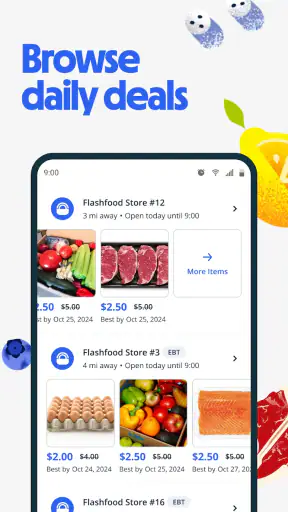
The basic idea is easy to understand. I open the app, look through nearby offers, and decide whether something discounted is worth adding to my plans. That sounds simple, but the difference between a useful deal and a wasted journey is in the small decisions: checking the listing carefully, considering how soon I can collect it, and thinking about whether I will actually use the food before it loses its value.
A realistic example is a weekday evening when I have not planned dinner. Instead of opening a recipe app first and then shopping for every ingredient at full price, I can browse the available food and work backward from what looks appealing. A reduced pack of meat might become tacos, while vegetables could turn into a soup or tray bake. This reverse-planning style is where Flashfood feels different from a standard supermarket ordering app.
I would not treat every listing as an automatic bargain. A lower price only helps if the portion suits my household and I can use it in time. For one person, a large pack may be less economical than it appears if part of it goes unused. For a family, the same offer may be genuinely valuable. The app rewards people who compare the deal with their normal shopping habits rather than reacting to the discount label alone.
The app is free, has an Everyone age rating, and comes from Flashfood. Its current version is 3.10.2, while compatibility starts with operating system version 9. That makes it accessible to many older phones, although practical performance will still depend on the phone’s condition, available storage, connection quality, and what else is running in the background.
What feels quick when I use it
Flashfood is most useful when I can reach the main browsing decision quickly. I do not want to spend several minutes navigating through unrelated grocery departments just to discover whether there is anything worthwhile nearby. Its focused purpose gives the experience a natural advantage over a broad supermarket app: I am looking for reduced food, not recreating an entire weekly order from scratch.
Perceived speed matters especially when I am checking the app while already out shopping. In that situation, a short glance should answer three questions: what is available, whether it looks suitable, and whether it is close enough to justify the trip. I find the app works best when I treat it as a quick opportunity scanner rather than a tool that deserves a long browsing session.
There is also a useful mental shortcut. I first decide what kind of food would genuinely help me, then I inspect relevant offers. For example, I might look for something suitable for lunches rather than scroll through every category. This reduces decision fatigue and makes the app feel faster even when the selection is broad. It is a simple workflow, but it prevents bargain hunting from turning into aimless browsing.
The trade-off is that speed depends on how much choice is available around me. A nearby area with several worthwhile listings can make the app feel highly responsive because I can act immediately. A thin selection may make the same experience feel slow, even if the interface itself responds normally. That is not a flaw I can solve through settings; it is part of using a location-dependent service.
Busy periods and the pressure to decide
The heaviest-use moment is likely not a long planned shop. It is the sudden check before leaving work, during a lunch break, or while deciding what to cook. At those times I need to make a quick judgement without turning the app into another task. The strongest habit is to set a clear limit: I browse for a short while, save a realistic option in my mind, and stop if nothing fits.
Another demanding situation is shopping for several people. A single discounted item may not be enough, and the available quantities may not match the meal I had imagined. I find it more useful to combine two or three compatible offers than to expect one listing to solve dinner completely. This is a subtle strength of the app: it can change how I plan a meal, but it requires more flexibility than a conventional grocery basket.
Heavy use can also mean repeated checking. If I open the app several times during the day, I am more likely to notice new possibilities, but I also increase the chance of chasing deals I do not need. My practical rule is to check around moments when I would already be shopping. That keeps the app connected to a real grocery decision instead of encouraging unnecessary trips.
For households managing a tight food budget, this can be a meaningful workflow. I can begin with a spending limit, identify the discounted item that gives the most meal value, and then fill the rest of the meal with inexpensive staples I already have. The app is less helpful if I use it as an excuse to buy random food simply because it looks cheap. The saving comes from planning around the offer, not from collecting offers.
Reliability, recovery, and avoiding wasted journeys
Reliability here has two sides. The first is whether the app opens and lets me browse normally. The second is whether the offer I am interested in still makes sense by the time I act on it. A grocery deal is time-sensitive by nature, so I would avoid building an important meal plan around one listing until I am confident it is still available and suitable.
My safest approach is to keep a backup plan. If I see discounted vegetables, I can think of two possible uses rather than one precise recipe. If I find meat, I can decide whether it can become dinner today or be used in another meal soon. This flexibility protects me from the disappointment of finding that the first idea no longer works when I am ready to shop.
When an app behaves unexpectedly, recovery should be straightforward in principle: close and reopen it, check the connection, and try the search again before changing my entire shopping plan. I would not repeatedly refresh for a long time over one offer. If the information does not settle quickly, the sensible choice is to move on to another listing or use the regular supermarket option.
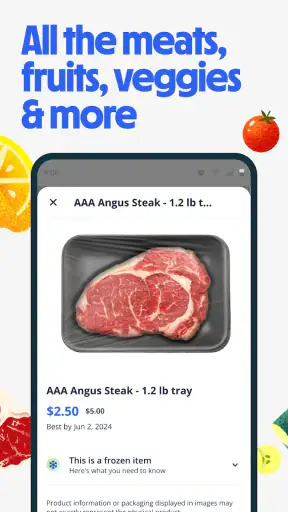
I also recommend checking the practical details of each item before committing. Discounted food can vary in size, type, and usefulness, so the headline price is not enough for a fair comparison. I look at what the item actually is, how much I can use, and whether it fits food preferences at home. This is one of the most important differences between browsing Flashfood and casually scrolling through a sale section.
The app has an average rating of 4.1 from around 27 thousand ratings, with more than 7 thousand written reviews. That suggests a substantial user base and a generally positive reception, while still leaving room for mixed experiences. I read that combination as a reason to approach it confidently but realistically: the concept clearly works for many shoppers, yet local availability and personal expectations will shape the result.
Older phones, storage, and practical device limits
Because the minimum requirement is operating system version 9, Flashfood is not limited to only the newest phones. That is helpful for anyone keeping an older device as a secondary phone or trying to avoid upgrading solely for grocery shopping. Still, operating-system compatibility does not guarantee a smooth experience on every supported device. An older phone with little free storage or a tired battery may feel sluggish in any app.
I would use it on a phone with enough free space for normal app operation and a stable mobile connection or Wi-Fi. I would also avoid opening it at the exact moment I need to rush into a store if my phone is already struggling with many background apps. Closing unused apps and keeping the device reasonably updated are ordinary maintenance steps, but they can make a browsing-focused tool feel more dependable.
Resource demands are most noticeable through the overall phone experience rather than through a single dramatic feature. If the device heats up, loses battery quickly, or pauses while switching between apps, the problem may be the phone’s age, connection, or background workload rather than Flashfood alone. I would judge it in the context of the handset I actually use, especially because grocery browsing should not require a high-end device.
There is a useful reason to keep the app on the phone even if I do not open it every day: it can be checked when I am already near a participating shopping area. But I would not install it on a device with almost no storage and expect a consistently comfortable experience. On a constrained phone, a lightweight browser routine or a standard shopping app may be less frustrating, depending on what I need to do.
Where it beats ordinary grocery apps
Traditional supermarket apps are better when I know exactly what I want, need a complete basket, or want predictable substitutions and quantities. They are designed around planned purchasing. Flashfood is better when I am willing to let the available discounted food influence the plan. That makes it more spontaneous, but also less dependable for a precise shopping list.
Compared with simply visiting the reduced section in a store, the app can save me from making a trip without knowing whether anything interesting is likely to be there. That advance visibility is its most practical advantage. It changes the decision from “I hope there is something useful” to “I can decide whether this opportunity is worth checking.” The benefit is strongest when the store is already on my route.
Compared with generic coupon tools, the experience is more concrete because I am considering actual food rather than a discount that may apply later. That can make the saving easier to understand. The downside is reduced flexibility: a coupon may apply to the product I already wanted, while a marked-down listing asks me to adapt my plan to what is available.
I would skip Flashfood if my priority is strict meal preparation, specific dietary products, or a guaranteed brand and size. It is also not ideal for someone who dislikes making decisions close to shopping time. The app suits an opportunistic shopper much more than a person who wants every ingredient chosen days in advance.
Three habits that make the discounts more useful
First, I compare the offer with the cost of a complete meal, not just with the original item price. A discounted ingredient may still require several expensive additions. I get more value when I can pair it with pantry staples already at home. This turns the app into a meal-budget tool rather than a collection of isolated bargains.
Second, I group my browsing by use date. Food for tonight, food for the next couple of lunches, and food suitable for freezing are different decisions. I avoid treating them as one category. This simple separation helps me reject attractive items that I cannot realistically consume soon and makes the final basket more intentional.
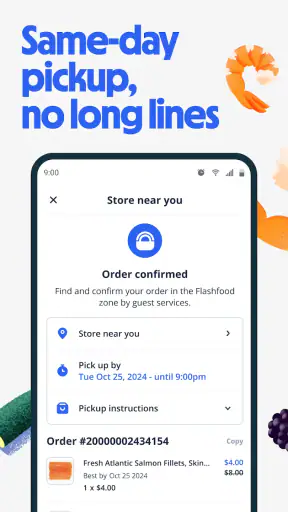
Third, I check the app before I leave, not after I have already committed to a long detour. The value of a deal can disappear when transport, time, or an extra trip is involved. If the store is already nearby, the calculation is easy. If it is far away, I need a larger or more useful purchase to justify the effort.
A fourth habit is to keep one ordinary meal option available at home. That may sound obvious, but it prevents the app from controlling the evening. If the available food is unsuitable, I can walk away without feeling that I have failed. This makes the experience calmer and helps me judge deals by usefulness rather than urgency.
Who should install it and who should pass
I recommend Flashfood to people who enjoy flexible cooking, want to reduce grocery spending, or already pass stores where discounted food may be relevant. It is especially appealing for households that can turn varied ingredients into soups, stir-fries, sandwiches, pasta dishes, or freezer portions. The more adaptable the cook, the more chances the app has to provide real value.
I am less enthusiastic for someone with a highly restricted diet, a rigid weekly menu, or no convenient way to collect food soon after finding it. In those cases, a normal grocery order may be more efficient even if individual items cost more. The right comparison is not “discounted versus full price”; it is “useful food obtained conveniently versus a bargain that creates extra work.”
The app is free, which makes trying it low-risk from a purchase standpoint. I would still start by browsing without changing my routine, then use one suitable offer to see whether the nearby selection fits my household. That small trial tells me more than the general idea because the usefulness depends heavily on what I can realistically buy and eat.
My performance verdict
Flashfood feels most convincing when I use it as a quick, focused check before a grocery trip. Its perceived speed benefits from having a clear purpose, and its relatively broad device compatibility makes it approachable for people who are not using a brand-new phone. I would not expect it to replace a full supermarket app, but I do see it adding a useful second layer to ordinary shopping.
Its main limitation is not something I can solve by browsing faster: discounted food requires flexibility. Availability, timing, household size, and cooking habits determine whether a deal is genuinely worthwhile. The app can help me spend less, but it cannot remove the need to inspect the item, plan its use, and decide whether the journey makes sense.
With over a million installs, Flashfood has clearly reached a substantial audience, and its 4.1 average gives it a solid, if not flawless, reputation. My recommendation is straightforward: install it if you are happy to build meals around changing offers and want a practical way to look for reduced groceries. Skip it if certainty matters more than discovery. For the right shopper, Flashfood—Grocery deals is a useful bridge between impulse discounts and thoughtful meal planning.


